

Key Insights
Important insights for organizations evaluating Teamwork.com competitors and alternative project management platforms
Expand key insights
- Many organizations outgrow basic project management tools: As teams scale and projects become more complex, businesses often look for Teamwork.com competitors that provide deeper planning, resource management, and reporting capabilities.
- Portfolio visibility becomes critical as projects multiply: Growing organizations require tools that can manage multiple projects simultaneously while providing clear insights into priorities, risks, and progress across the portfolio.
- Resource planning is a major driver for switching tools: Teams often move to more advanced platforms when they need better workload balancing, capacity planning, and visibility into team utilization.
- Financial tracking is increasingly expected from project platforms: Many modern alternatives integrate budgeting, expense tracking, and project profitability reporting directly into the project management environment.
- Customization and workflow flexibility influence adoption: Organizations prefer platforms that can adapt to their processes rather than forcing teams to change established workflows.
- Different tools serve different project maturity levels: Some alternatives are optimized for flexible task management, while others focus on enterprise portfolio management and strategic planning.
- Enterprise teams often prioritize scalability and governance: Platforms like Celoxis are designed for complex environments where advanced scheduling, resource optimization, and portfolio-level reporting are required.
- The best alternative depends on project complexity: Smaller teams may prioritize simplicity, while larger organizations typically need stronger forecasting, reporting, and resource coordination capabilities.
Project management is the cornerstone of success. Tools like Teamwork.com have become essential in helping teams coordinate tasks, meet deadlines, and deliver high-quality outcomes. However, while Teamwork.com is a popular choice, it’s not the only option available. In this article, we will explore some of the top Teamwork.com competitors, alternatives, and similar project portfolio management software solutions that cater to various project management needs.
You May Also Check:
Understanding the Importance of Project Management Software
Project management software is vital for organizations to streamline operations, improve collaboration, and ensure projects are completed on time and within budget. These tools typically offer a suite of features, including task management, resource allocation, time tracking, budget control, and reporting. The right project management software can enhance productivity, reduce errors, and provide valuable insights into project performance.
Overview of Teamwork.com
Teamwork.com is a well-known project management platform that offers a comprehensive set of features designed to help teams collaborate more effectively. Its user-friendly interface, task management capabilities, time tracking, and integration with other tools make it a favorite among teams of all sizes. However, as businesses grow and their needs become more complex, they may seek alternatives that offer additional features or better scalability.
You May Also Check:
- A Guide to Project Management Software Trends in 2026 and Beyond
- Evaluating Project Portfolio Management Software: A Step-by-Step Guide
List of Teamwork.com Competitors Covered in This Article
- Celoxis – Enterprise-grade project portfolio management software with advanced planning and resource management.
- Wrike – A scalable project management platform designed for cross-team collaboration and workflow automation.
- ClickUp – An all-in-one productivity and project management tool known for its high customization and flexible workflows.
- LiquidPlanner – A predictive project management solution focused on dynamic scheduling and resource forecasting.
- ProofHub – A simple and scalable collaboration platform designed for teams that want straightforward project management tools.
Comparison Chart: Teamwork.com Competitors & Alternatives
| Tool | Best For | Gantt & Scheduling | Free Plan / Trial | Pricing (Paid) | Key Strengths |
|---|---|---|---|---|---|
 Celoxis Celoxis
| Mid-size & enterprise project teams | Advanced native | Free trial available | Starts ~$10/user/mo | Portfolio management, resource planning, financial tracking, powerful dashboards |
| Wrike | Cross-department collaboration | Yes | Free plan available | ~$9.80+/user/mo | Workflow automation, reporting, enterprise integrations |
|
| Highly customizable teams | Yes | Free plan available | ~$7/user/mo | Flexible task structures, dashboards, automation |
| LiquidPlanner | Predictive project scheduling | Advanced | Free trial | ~$15+/user/mo | Predictive timelines, dynamic scheduling, resource forecasting |
|
| Simple collaboration for teams | Yes | Free trial only | ~$45/month flat | Flat pricing, collaboration tools, easy onboarding |
Top Teamwork.com Competitors and Alternatives
1. Celoxis: The Enterprise-Grade Solution

Overview
Celoxis is a powerful, enterprise-level project management software designed to meet the needs of mid-sized to large organizations. It offers a broad range of features that make it an excellent alternative to Teamwork.com, particularly for businesses that require advanced project management capabilities and scalability.
Key Features
- Advanced Project Planning: Celoxis offers sophisticated project planning tools, including dynamic Gantt charts, resource leveling, and what-if analysis, enabling precise project scheduling and management.
- Custom Workflows: Celoxis allows organizations to create custom workflows tailored to their specific processes, ensuring that the software aligns with their unique business needs.
- Integrated Project Accounting: Celoxis includes integrated project accounting features such as expense tracking, billing, and financial reporting, making it easier for organizations to manage project finances.
- Resource Management: With Celoxis, organizations can efficiently allocate and manage resources across multiple projects, helping to prevent bottlenecks and optimize productivity.
- Scalability: Celoxis is built to grow with your organization. Whether you’re handling a single project or managing a portfolio of projects across various departments, Celoxis scales to meet your needs, ensuring that it remains a valuable tool as your business expands.
Why Choose Celoxis?
Celoxis is particularly suited for mid-sized to large enterprises that need a robust, scalable project management solution. Its advanced features, such as custom workflows and integrated project accounting, make it ideal for organizations with complex project management requirements. As your business grows, Celoxis grows with you, providing the tools and support necessary to manage projects of any size or complexity. From the initial setup to project execution and completion, Celoxis ensures that your projects are managed efficiently and effectively, making it a perfect choice for enterprise-level project management.
You May Also Check:
- Demo Project Management Software: Key Questions to Ask
- Trial Project Management Software – Get 14 days Free Trial
- Project Management Software Pricing and Cost Guide 2026
2. Wrike: The Comprehensive Project Management Platform
Overview
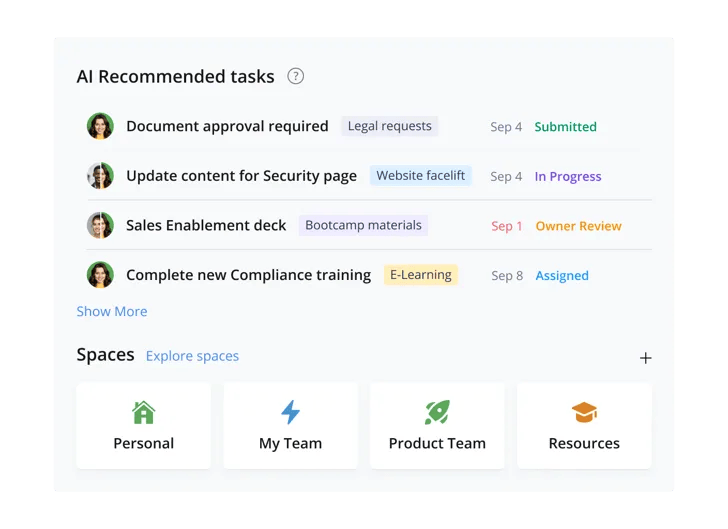
Wrike is a versatile project management tool that offers a wide range of features designed to help teams streamline their work, collaborate effectively, and achieve their goals. It’s an excellent alternative to Teamwork.com, especially for organizations that require a robust, all-in-one project management solution.
- Don’t Miss: 11 Best Wrike Alternatives & Competitors in 2026
Key Features
- Task Management: Wrike provides comprehensive task management features, including task assignments, deadlines, dependencies, and custom workflows, making it easy for teams to stay organized and on track.
- Project Views: Wrike offers multiple project views, including list, board, Gantt chart, and calendar views, allowing teams to manage projects in the way that best suits their workflow.
- Collaboration Tools: Wrike includes powerful collaboration tools such as real-time editing, file sharing, and team communication features, ensuring that everyone stays on the same page.
- Advanced Reporting: Wrike offers advanced reporting and analytics tools that allow teams to generate detailed reports on project performance, resource utilization, and financials.
- Integrations: Wrike integrates seamlessly with a wide range of third-party tools, including Salesforce, Slack, and Microsoft Teams, making it easy to connect Wrike with your existing tools and workflows.
Why Choose Wrike?
Wrike is ideal for teams that need a comprehensive project management platform that can scale with their business. Its robust features and powerful integrations make it a great choice for mid-sized to large enterprises with complex project management needs. Wrike’s flexibility and scalability make it a strong competitor to Teamwork.com, particularly for organizations managing multiple projects across different departments.
3. ClickUp: The All-In-One Productivity Platform

Overview
ClickUp is an all-in-one productivity platform that offers a wide range of features for project management, task management, and collaboration. It’s a versatile alternative to Teamwork.com, particularly for teams that need a highly customizable tool to manage their work.
Key Features
- Task Management: ClickUp offers powerful task management features, including task hierarchies, custom statuses, and recurring tasks, allowing teams to manage tasks in a way that suits their workflow.
- Custom Views: ClickUp allows users to create custom views, such as list view, board view, calendar view, and Gantt chart, providing flexibility in how projects are managed.
- Collaboration Tools: ClickUp includes collaboration features such as real-time chat, comments, file sharing, and document collaboration, making it easy for teams to stay connected and productive.
- Automations: ClickUp offers robust automation features that allow users to automate repetitive tasks, saving time and reducing the risk of errors.
- Integrations: ClickUp integrates with a wide range of tools, including Slack, Google Drive, and Trello, making it easy to connect ClickUp with your existing workflows.
Why Choose ClickUp?
ClickUp is an excellent choice for teams that need a highly customizable and flexible project management tool. Its extensive feature set and customizable interface make it ideal for teams of all sizes, from small startups to large enterprises. ClickUp’s all-in-one platform approach means that it can be used for a wide range of tasks beyond project management, making it a strong alternative to Teamwork.com.
4. LiquidPlanner: The Predictive Project Management Tool
Overview
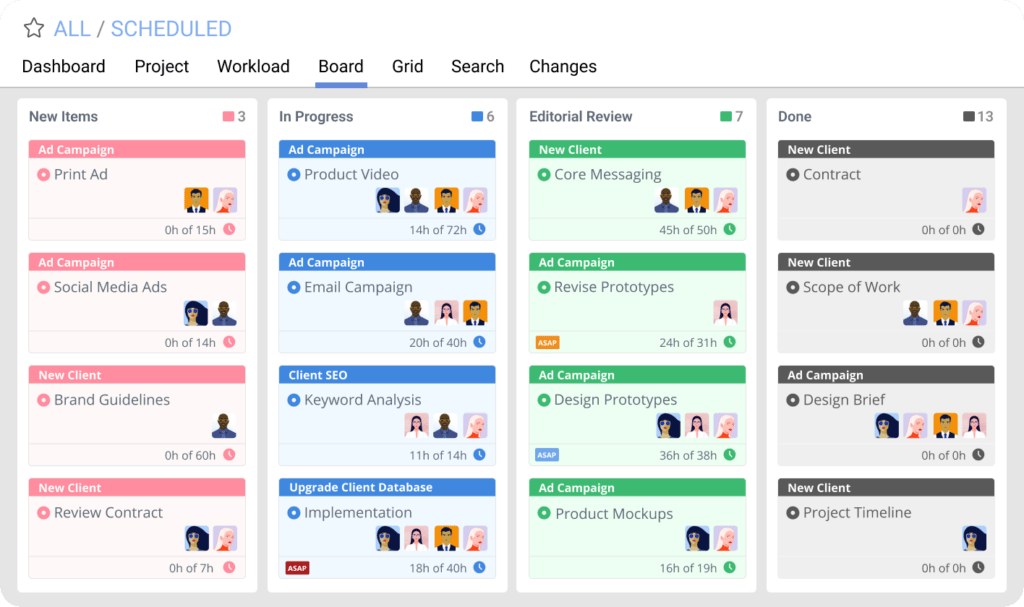
LiquidPlanner is a predictive project management tool designed to help teams manage complex projects with uncertain timelines. It’s a powerful alternative to Teamwork.com, particularly for organizations that need to manage projects with a high degree of uncertainty or variability.
Key Features
- Predictive Scheduling: LiquidPlanner uses predictive scheduling algorithms to automatically adjust project timelines based on changes in task priorities, resource availability, and project scope.
- Resource Management: LiquidPlanner offers advanced resource management tools, allowing teams to allocate resources based on availability, skills, and workload, ensuring that resources are used efficiently.
- Time Tracking: LiquidPlanner includes built-in time-tracking features that allow teams to track the time spent on tasks and projects, providing valuable insights into project performance and resource utilization.
- Collaboration Tools: LiquidPlanner includes collaboration features such as task comments, file sharing, and real-time updates, making it easy for teams to communicate and collaborate effectively.
- Advanced Analytics: LiquidPlanner offers powerful analytics and reporting tools, allowing teams to generate detailed reports on project progress, resource utilization, and financials.
Why Choose LiquidPlanner?
LiquidPlanner is ideal for organizations that need to manage complex projects with uncertain timelines or resource availability. Its predictive scheduling and advanced resource management features make it a great choice for teams that need to adapt quickly to changes in project scope or priorities. LiquidPlanner’s focus on predictive analytics and resource management makes it a strong competitor to Teamwork.com, particularly for organizations that require a more dynamic project management tool.
- Check Also: Why Celoxis is the Top LiquidPlanner Alternative
5. ProofHub: The Simple and Scalable Project Management Tool
Overview
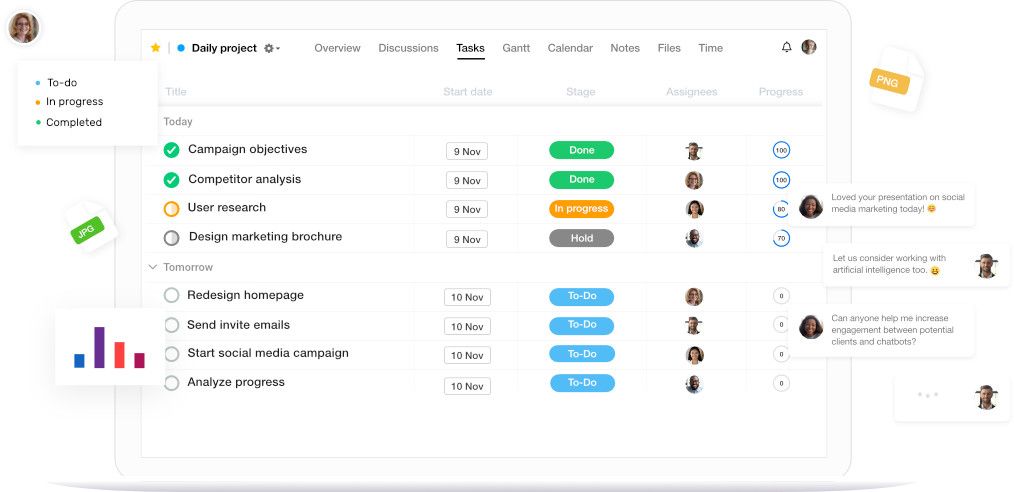
ProofHub is a simple yet powerful project management tool designed to help teams plan, collaborate, and deliver projects on time. It’s an excellent alternative to Teamwork.com, particularly for teams that need an easy-to-use tool that doesn’t compromise on features.
Key Features
- Task Management: ProofHub offers comprehensive task management features, including task assignments, deadlines, subtasks, and custom workflows, making it easy for teams to stay organized and on track.
- Collaboration Tools: ProofHub includes robust collaboration tools such as real-time chat, comments, file sharing, and online proofing, ensuring that teams can communicate and collaborate effectively.
- Project Templates: ProofHub offers customizable project templates that allow teams to set up new projects quickly and consistently, saving time and ensuring that all projects start on the right foot.
- Time Tracking: ProofHub includes built-in time-tracking features that allow teams to track the time spent on tasks and projects, providing valuable insights into project performance and resource utilization.
- Reporting: ProofHub offers simple yet effective reporting tools, allowing teams to generate reports on project progress, task completion, and resource utilization.
Why Choose ProofHub?
ProofHub is ideal for teams that need a simple, scalable project management tool that doesn’t compromise on features. Its user-friendly interface and comprehensive feature set make it a great choice for small to mid-sized teams, as well as larger organizations that need a straightforward project management solution. ProofHub’s focus on simplicity and ease of use makes it a strong competitor to Teamwork.com, particularly for teams looking for a no-nonsense project management tool.
You May Also Check:
- Best Project Management Software Tools for Remote Teams
- Monday vs Celoxis Project Management Software Comparison
- Microsoft Planner vs. Project vs. Celoxis: Which Tool is Best?
How to Choose the Right Teamwork.com Alternative
Important factors to consider when selecting a project management platform
Expand evaluation factors
- Project planning and scheduling capabilities: Look for platforms that support advanced planning features such as Gantt charts, task dependencies, milestones, and timeline tracking to ensure projects stay organized and on schedule.
- Resource management and workload visibility: As teams grow, managing workloads becomes critical. A strong alternative should allow you to track team capacity, allocate resources efficiently, and prevent overallocation across projects.
- Portfolio-level visibility: Organizations managing multiple projects benefit from tools that provide a consolidated view of progress, priorities, and risks across the entire project portfolio.
- Reporting and analytics: Detailed dashboards and reporting capabilities help project managers monitor performance, identify potential delays early, and make data-driven decisions.
- Workflow flexibility and customization: Every organization operates differently. The ideal project management solution should allow teams to customize workflows, statuses, and processes to match internal operations.
- Scalability and integrations: Choose a platform that can grow with your organization and integrate seamlessly with tools such as CRM systems, communication platforms, and financial software.
Ultimately, the best Teamwork.com alternative should not only manage tasks effectively but also provide long-term visibility into resources, budgets, and project performance as your organization grows.
Frequently Asked Questions
Everything you should know about Teamwork.com competitors and alternatives
What are the best Teamwork.com alternatives?
Some of the most popular Teamwork.com alternatives include Celoxis, Wrike, ClickUp, LiquidPlanner, and ProofHub. These platforms offer a range of project management capabilities such as advanced scheduling, resource planning, workflow automation, and portfolio visibility. The best alternative depends on the complexity of your projects, team size, and reporting needs.
Why do teams look for alternatives to Teamwork.com?
Teams typically start looking for Teamwork.com alternatives when their project environments become more complex. As organizations grow, they often require stronger portfolio management, resource planning, financial tracking, and advanced reporting features that provide deeper visibility across multiple projects.
Which Teamwork alternative is best for enterprise project management?
Enterprise teams often require tools that support portfolio management, advanced scheduling, and detailed reporting. Platforms like Celoxis are designed for complex project environments and provide capabilities such as resource optimization, financial tracking, and portfolio-level dashboards that help organizations manage multiple initiatives simultaneously.
Is ClickUp better than Teamwork.com?
ClickUp offers extensive customization, automation, and flexible task management features, making it popular among teams that prefer adaptable workflows. However, organizations managing complex projects may require tools with stronger scheduling, portfolio visibility, and resource planning capabilities.
How do I choose the right Teamwork.com competitor?
Choosing the right alternative depends on your project requirements. Small teams may prioritize simplicity and collaboration features, while growing organizations often need stronger reporting, workflow customization, and resource management. Evaluating project complexity, team size, and long-term scalability can help determine the best solution.
Conclusion
Selecting the right project management software is critical to the success of your projects. While Teamwork.com is a popular and powerful tool, it may not be the best fit for every organization. Alternatives like Celoxis, Wrike, ClickUp, LiquidPlanner, and ProofHub offer unique features and capabilities that cater to different business needs.


Comments
0 responses